Back
How to
Short step-by-step guides with screenshots. Fake names and codes only.
Back to index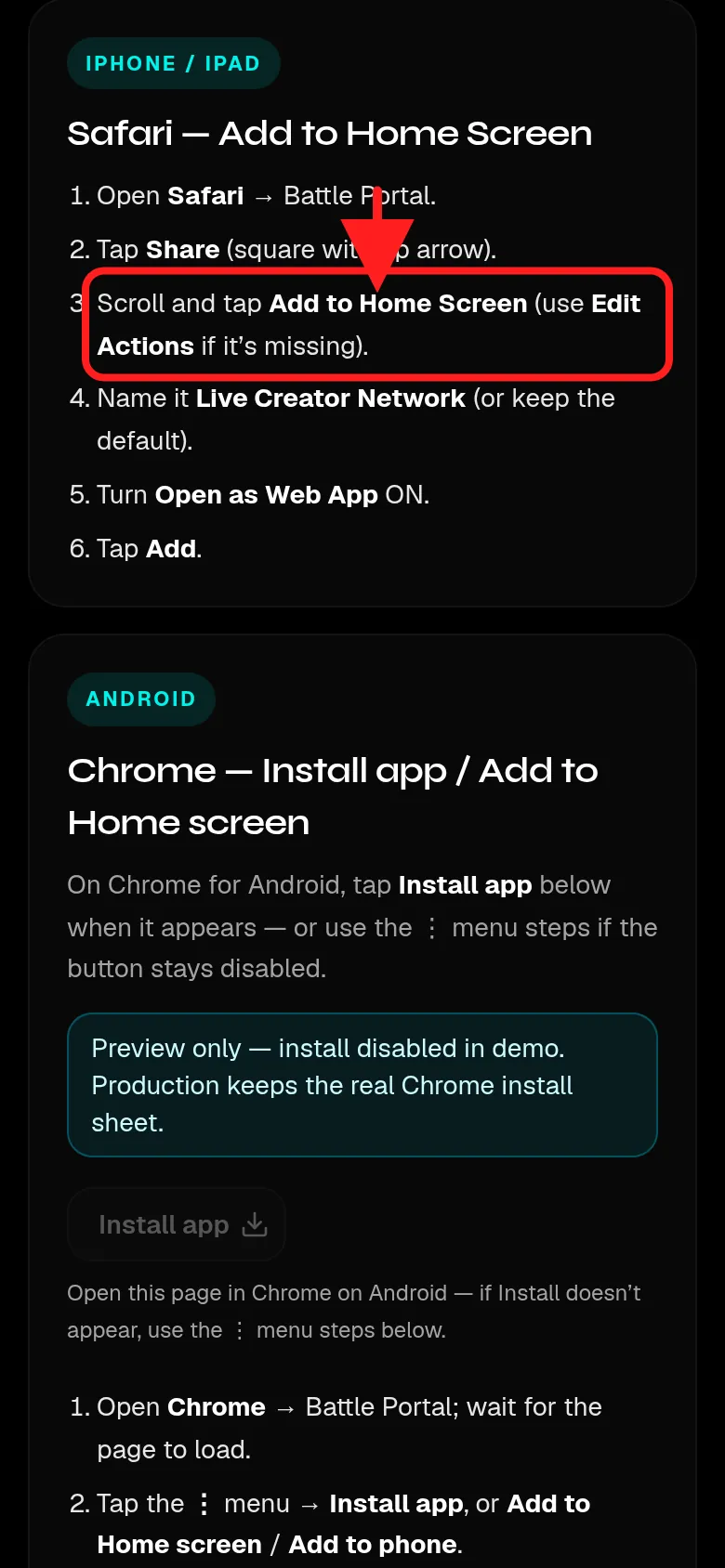
The Add as app page (/install) 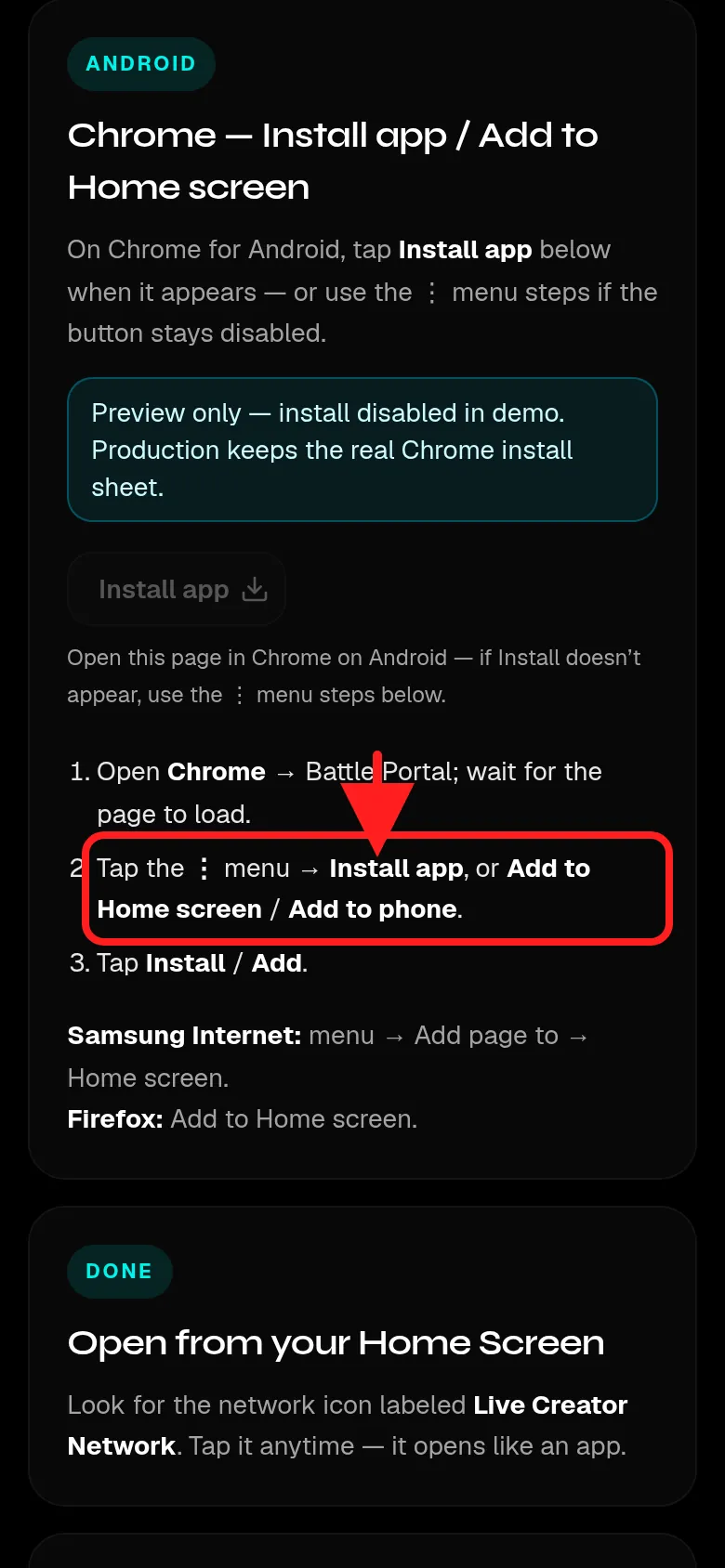
Chrome menu steps on /install
Guide 2
How to install as an app
Add the portal to your phone's Home Screen. No App Store or Play Store needed.
iPhone (Safari)
- Open the portal in Safari (not TikTok or Instagram's browser).
- Tap Share (the square with an up arrow).
- Scroll and tap Add to Home Screen.
- Keep Open as Web App turned ON, then tap Add.
Android (Chrome)
- Open the portal in Chrome. Wait for the page to load.
- Tap the ⋮ menu, then Install app (or Add to Home screen).
- Tap Install (or Add). The icon appears on your Home Screen.
On LCN the Install app button on the /install page is view-only. Use the Chrome menu above.